
Dual CAN interface with independently configurable baud rates
CANnect Intelligent and Configurable CAN-to-CAN Bridge
Real-time bidirectional CAN adapter, two FDCAN interfaces, independent baud rates, per-channel transformation rules — fully GUI-configurable, no firmware coding required.

OVERVIEW
A CAN gateway that thinks
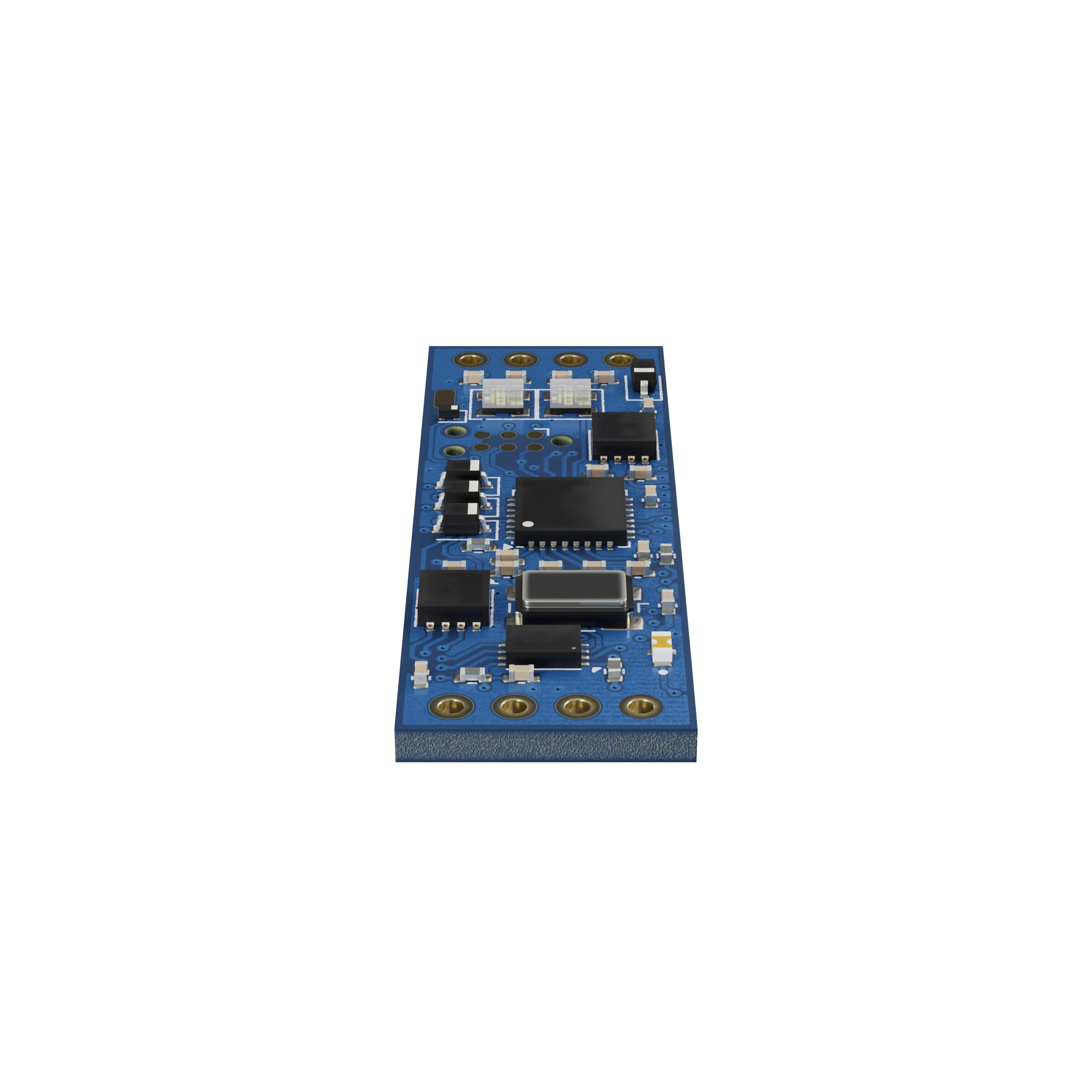
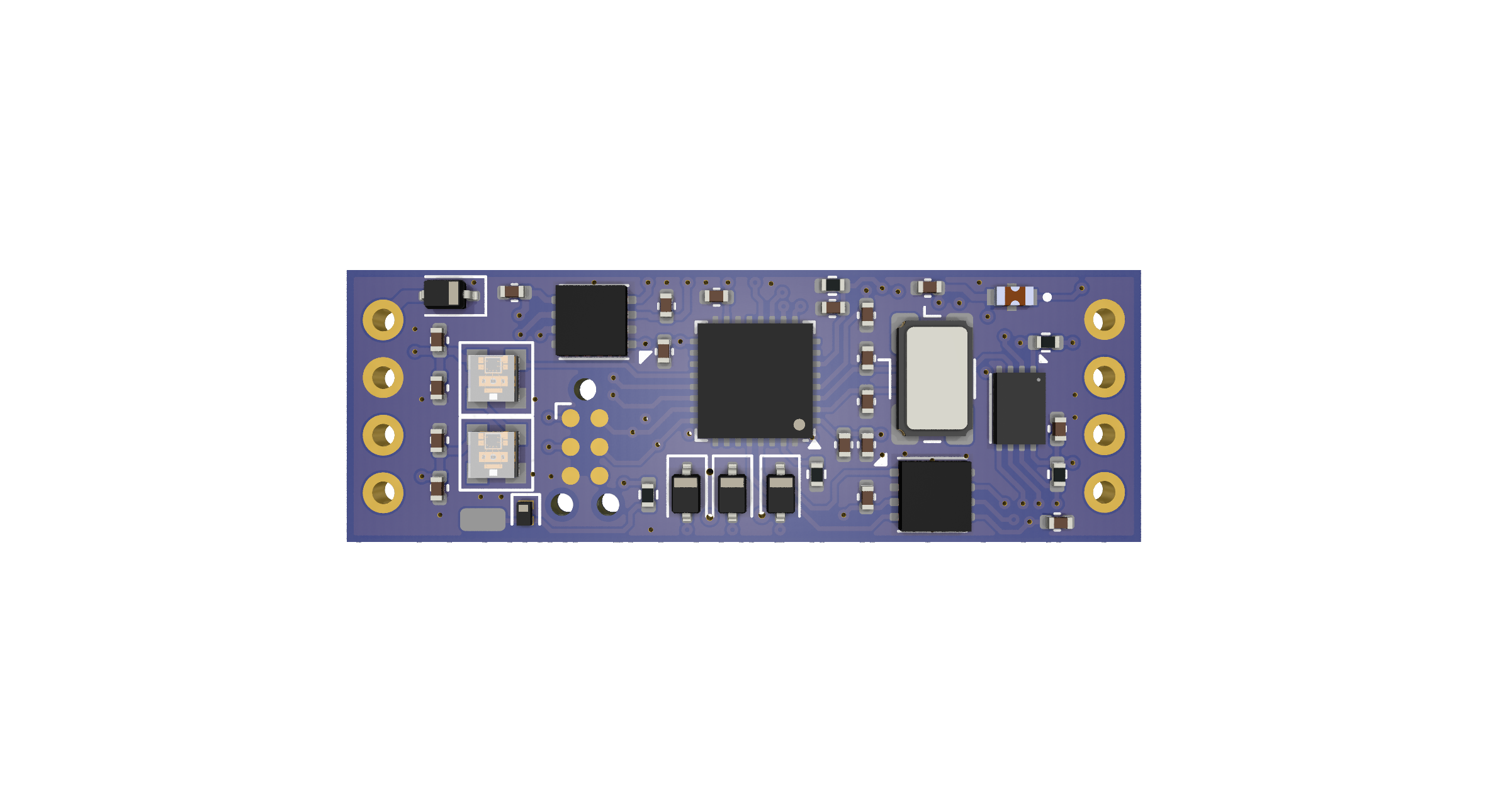
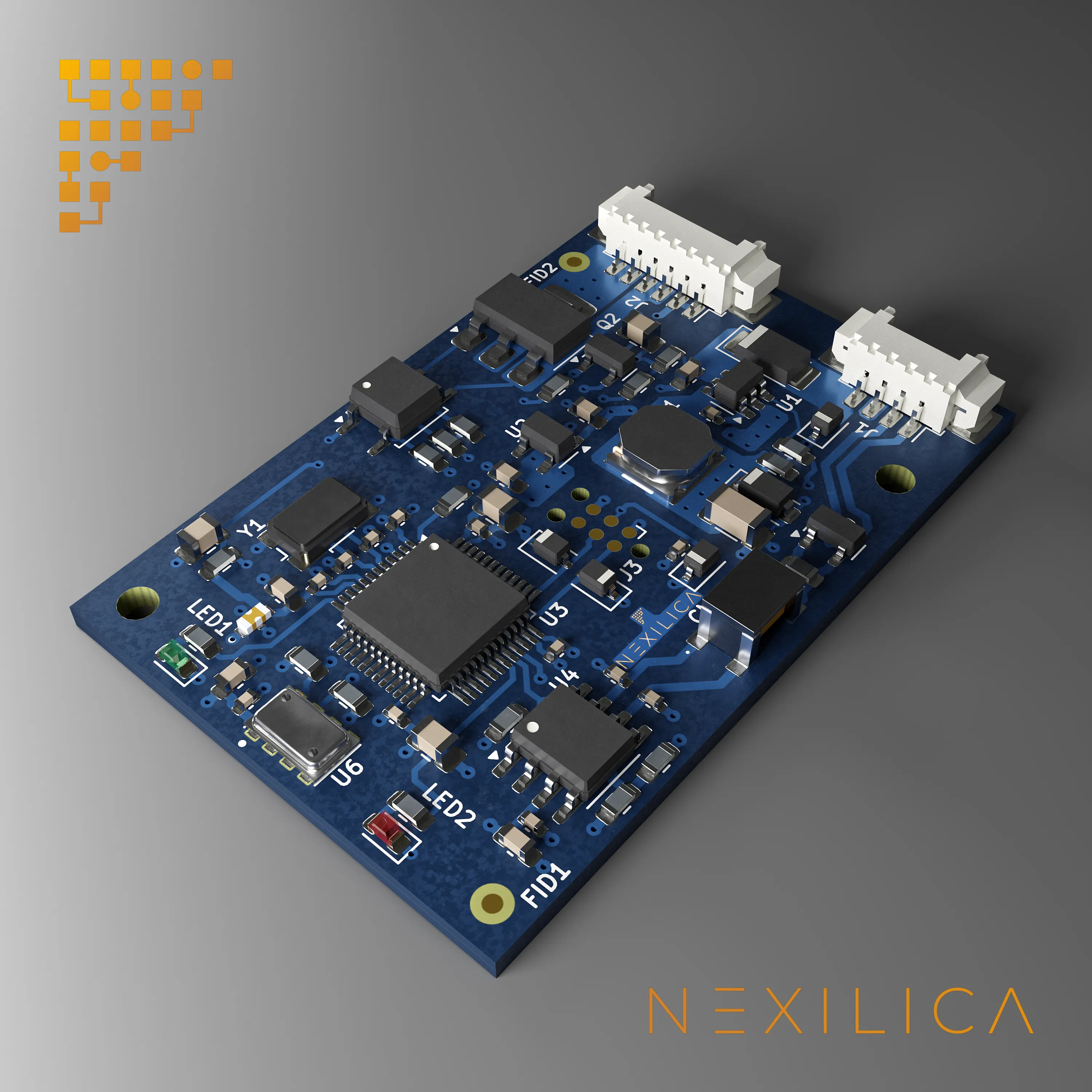
CANnect is a miniaturized CAN gateway powered by an STM32 microcontroller with dual independent FDCAN interfaces, designed to integrate CAN bus devices with different configurations, baud rates, or message IDs — without any hardware modifications.
With native DBC file support, CANnect interprets and manipulates CAN traffic in real time: translating protocols, applying filters, scaling, and lookup tables on individual channels. It acts as an intelligent bridge between heterogeneous CAN networks in automotive, motorsport, and industrial applications.
01 / Features
Key Features
The features that make this product unique
CAN traffic interpretation and rewriting via standard DBC files
Per-channel signal processing: filters, moving averages, gain, offset, and LUTs
Transparent bridging between CAN networks with different protocols or speeds
Intuitive desktop configuration software included
Firmware updates over CAN bus via dedicated utility
02 / Architecture
Bridge between two CAN networks
A compact board connecting legacy ECUs to next-generation systems
NETWORK A
CAN-A
Legacy ECUs · 250 kbps
ECU1
ECU2
ECU3
35 × 12 mm ● BRIDGING STM32 · FDCAN
NETWORK B
CAN-B
New gen ECUs · 1 Mbps
NEW1
NEW2
NEW3
DBC
File-driven mapping
FILTER
Per-channel rules
TRANSFORM
Scaling · Offset · LUT
DFU
Update via bootloader CAN
03 / Advantages
Advantages
01
Instant integration
connect heterogeneous CAN devices without hardware or firmware changes
02
Faster development
dramatically reduces prototyping and debugging time on CAN bus systems
03
Zero-code configuration
complete setup through graphical software, no programming required
04
Advanced analysis
built-in tools for real-time CAN traffic monitoring, filtering, and manipulation
04 / Specifications
Technical Specifications
01 · INTERFACES
CAN interfaces
2x independent FDCAN
Configuration
DBC files for message mapping and transformation
Processing
CAN ID, scaling, offset, endianness and lookup tables
02 · OPERATION
Baud rate
1 Mbps, 500 kbps, 250 kbps, 125 kbps
Bridge
Conversion between CAN networks at different speeds
Analog input
1x 0-5V channel · 12-bit ADC
03 · PHYSICAL
Supply
9V - 28V
Current draw
14 - 32 mA, 21 mA typical
Dimensions
35 x 12 mm
Temperature
-20°C / +105°C
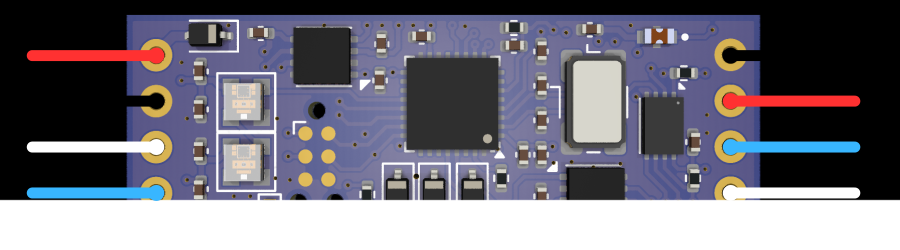
PINOUT · CONNECTIONS
PIN · Red
VCC (Power)
PIN · Black
GND (Ground)
PIN · White
CAN-H (High)
PIN · Blue
CAN-L (Low)
05 / Applications
Applications
CAN Integration Scenarios
- 01 ECU integration
ECU integration and automotive prototyping
- 02 Legacy bridge
Bridging legacy CAN networks with next-generation systems
- 03 Protocol mapping
Protocol translation between ECUs from different vendors
- 04 Lab validation
CAN bus network simulation and lab testing
- 05 Analog input
Analog sensor signal conditioning and conversion
- 06 Telemetry
Telemetry data acquisition in motorsport and racing
06 / Gallery
Gallery
07 / FAQ
CANnect: Our Customers' Questions
How is CANnect configured, and do I need programming skills?
CANnect is configured entirely through an intuitive desktop application with a graphical interface — no coding or scripting required. You simply load your DBC files, define the mapping rules between the two CAN interfaces, and deploy the configuration to the device. The entire process takes minutes, not hours.
Can CANnect work with my existing CAN network without modifications?
Yes. CANnect supports standard baud rates from 125 kbps to 1 Mbps on each of its two independent FDCAN interfaces, and it can bridge networks running at different speeds or protocols. It connects inline with your existing CAN bus wiring, so no changes to your current hardware or ECU firmware are needed.
How small is the CANnect board, and how is it installed?
The CANnect PCB measures just 35 x 12 mm, making it one of the smallest CAN bridge devices available. It accepts a wide supply voltage range of 9-28V and draws only 21 mA typical current, so it can be powered directly from the vehicle or machine power rail and installed in extremely tight spaces such as engine bays or behind dashboards.
How do I update the CANnect firmware over the CAN bus?
Firmware updates are delivered directly over the CAN bus using a dedicated utility included with the configuration software. You connect to the device, select the new firmware image, and the update is applied automatically. This ensures your CANnect units always run the latest features and improvements without any hardware disassembly.
Explore more
Related services and products for this solution

GET IN TOUCH
Ready to integrate CANnect?
Want to integrate CANnect into your CAN bus system? Contact us, we reply within 1-2 business days.
Contact Us